
Stream Manager Guide
Stream Manager
Stream Manager is what coaches and facility staff use to run iPost Sports cameras on gameday. It's organized into three tabs — here's what each one does.
Stream Manager
Everything coaches need, in three tabs.
1
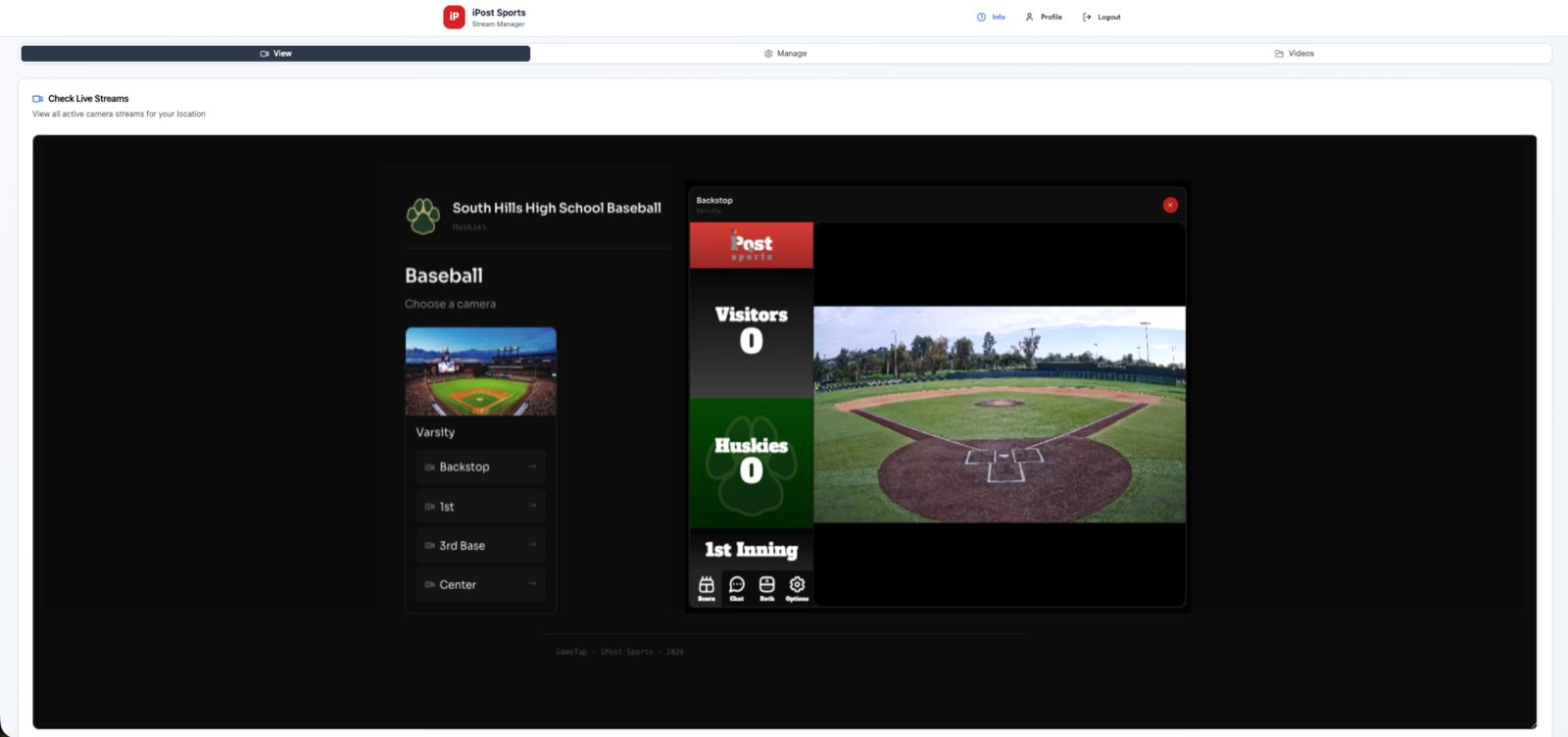
View — Check Live Streams
See every active camera stream at your location in one place.
- Pick a sport, then a camera angle (Backstop, 1st, 3rd Base, Center, etc.) to open its live feed
- Each stream opens with the live scoreboard overlay showing score and inning
- Chat, score, and stream options are built right into the player
2
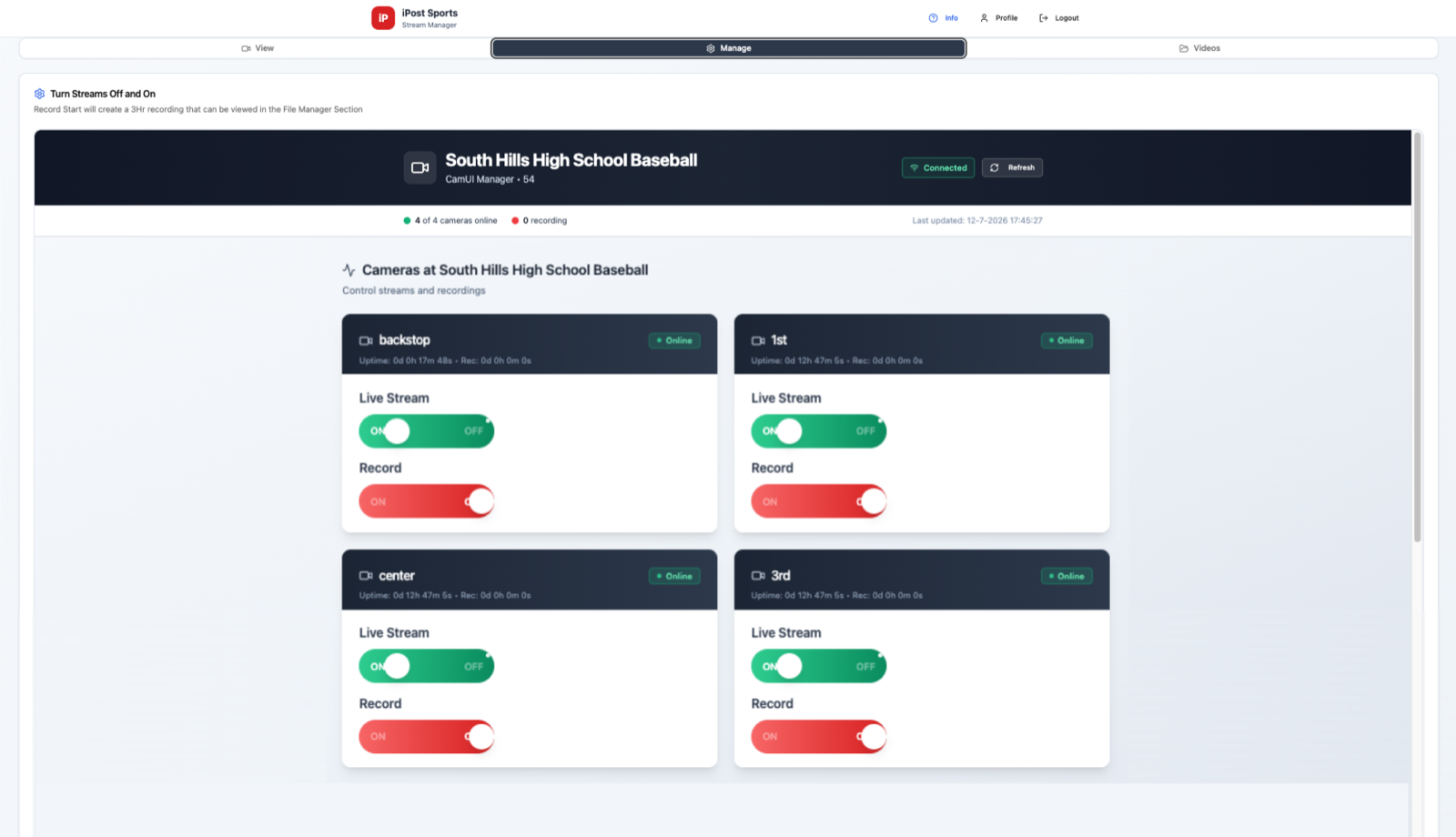
Manage — Turn Streams Off and On
Control every camera at your facility from one dashboard.
- Flip Live Stream on or off per camera with a single toggle
- Flip Record on to start a 3-hour recording, saved automatically to the Videos tab
- See each camera's connection status, uptime, and current recording time at a glance
3
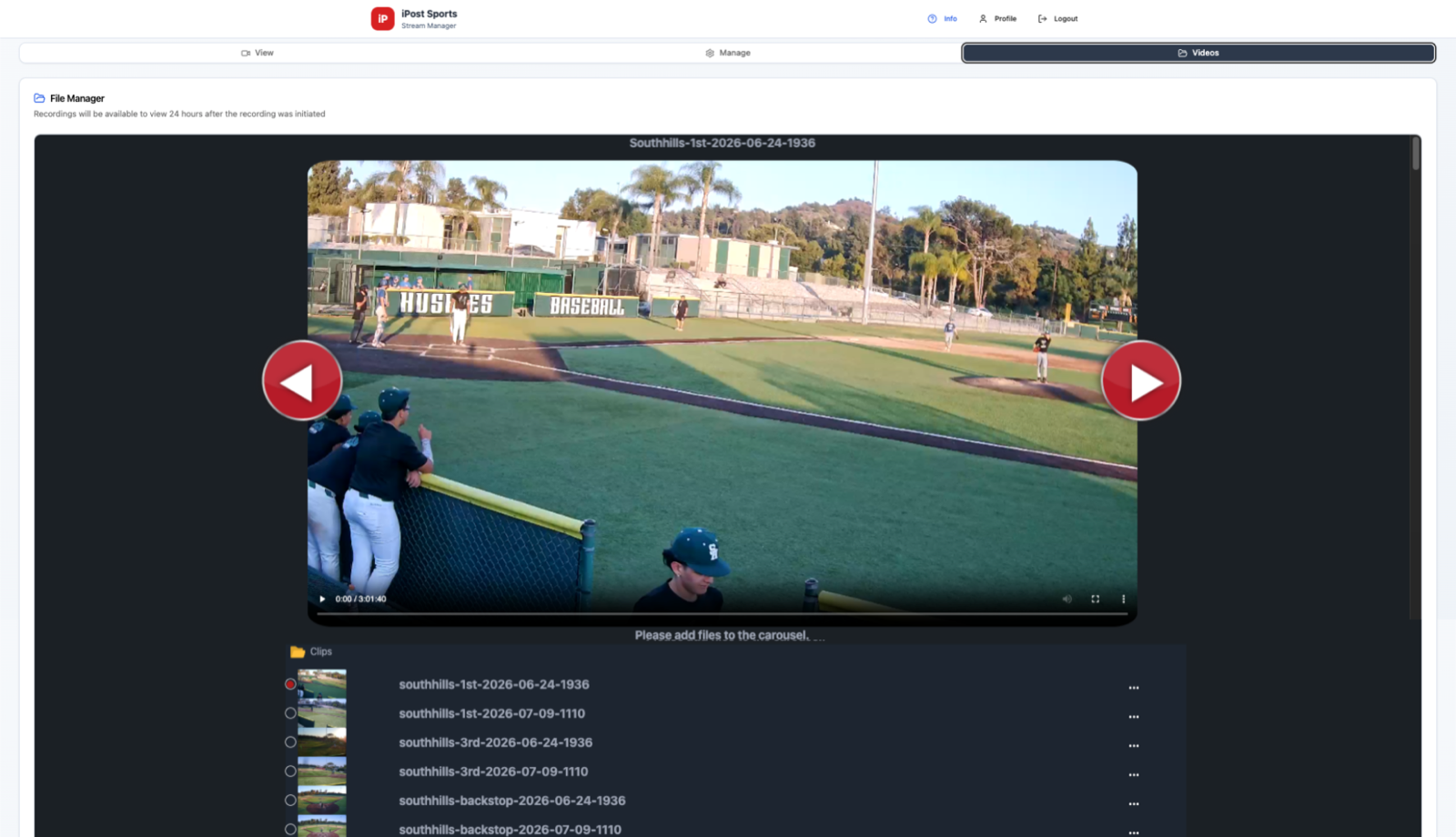
Videos — File Manager
Browse and play back everything your cameras have recorded.
- Recordings appear here 24 hours after the recording was initiated
- Clips are organized by camera and by date/time for quick lookup
- Use the built-in player to scrub, skip between clips, and review any angle